

- Two slots: TF1 for the system, TF2 for extra games
- First thing to do: back up the original card
- Which SD card to buy for the R36S
- What the logos on the card mean
- Which capacity: 64 GB, 128 GB or more?
- Which format for the R36S SD card?
- System card (TF1): flash it, don't format it
- Game card (TF2): exFAT and a name other than EASYROMS
- Windows doesn't see the card, or only a small part of it
- Replacing the system card without losing anything
- Frequently asked questions
- Which format for the TF2 game card?
- Can I put a 256 GB card in the R36S?
- Should I replace the card that comes with it?
- How do I back up my card before an update?
- Windows only sees a small partition, is that a problem?
- SanDisk, Samsung or Kingston?
- Find your R36S Console
Before you swap the SD card in your R36S, back up the one it came with: it holds the system and the file that drives the screen. Then get a name-brand microSD from a trustworthy seller. The game card (TF2 slot) is formatted in exFAT; the system card (TF1) is not formatted, you flash an image onto it.
Which card, what size, which format, and why your computer only shows part of it: the answers, in the order the questions come up.
Two slots: TF1 for the system, TF2 for extra games
The R36S has two microSD slots. The slot marked TF1 takes the system card, the one that was in the console when it arrived, and it can hold the games too. The TF2 slot takes an optional second card for games: it can stay empty.
According to the R36S community wiki, any card should work in TF1, but not every card works in TF2. For that slot, check the community-maintained list first ("R3XS TF2 microSD Card and WiFi Dongle Compatibility List").
A second card has its advantages, according to that wiki: reinstall the system without copying the games again, keep saves and RetroArch settings on the game card, swap cards around. The trade-off, flagged by the ArkOS wiki: once the setting is turned on, you need both cards to boot.
First thing to do: back up the original card
The R36S wiki makes this the very first step. The BOOT partition contains a .dtb file, the screen driver, which it describes as the most important file on the card.
- Switch the console off completely, then take the card out of the TF1 slot.
- Insert it into your computer.
- On Windows, create an image of the whole card with Win32DiskImager. On Mac, use ApplePi-Baker.
- Keep the original card untouched: do everything after that on a second card.
To protect only your games, copy the contents of the EASYROMS partition to a folder, then copy it back onto the new card. Allow some time: AMSanchezC's R36S guide mentions about 46 GB and an hour of copying each way.
The card that comes with the console is enough to start playing right away. For the long run, a name-brand card in TF1 and a backup of the original card are the best insurance.
The R36S community is harsher on the cards bundled with these consoles in general: it considers them unreliable. Signs of a failing card, according to the community: freezing on the logo, themes disappearing, games that no longer save.
Which SD card to buy for the R36S
The system developers name the same brands. ArkOS and dArkOS recommend SanDisk, Samsung or PNY. dArkOSRE recommends SanDisk or Kingston when the console freezes on the logo, and SanDisk or Samsung, 64 GB and up, for the game card.
A brand name does not protect you from counterfeits, and they are common: fake capacity, lower speed. Buy from a trustworthy seller, then check the card with a free tool such as H2testw or F3.
What the logos on the card mean
Minimums defined by the SD Association:
| Logo | Guaranteed minimum |
|---|---|
| U1 | 10 MB/s sustained write |
| U3 and V30 | 30 MB/s sustained write |
| A1 | 1,500 read operations per second, 500 write (4 KB blocks), and 10 MB/s sustained |
| A2 | 4,000 and 2,000, and 10 MB/s sustained, if the device supports command queuing and cache; otherwise, A1 level |
The A classes measure speed on small files, the kind a system card reads constantly. Be careful with A2: nobody knows whether the R36S supports what it requires, and an independent test on a Raspberry Pi found no gain.
Our advice: a name-brand A1 or A2 card, U1 or U3, and at least Class 10 / UHS-I. A slow card makes loading drag.
Which capacity: 64 GB, 128 GB or more?
For the system, dArkOS asks for at least 8 GB, with 16 GB or more recommended. For games, the rough sizes:
- NES, Super Nintendo, Game Boy Advance: under 10 MB per game;
- PlayStation: 200 to 700 MB per game, less once converted to .chd;
- PSP: 500 MB to 1.5 GB per game.
Disc-based games are what fill up a card, far more than cartridge games.
128 GB is plenty for most uses, according to AMSanchezC's guide and our own systems guide alike. The Ubuntu-fr documentation describes an R36S with two Samsung EVO cards, 64 GB for the system and 250 GB for games. But no official maximum capacity has been published.
The system takes up part of the card: the free space is smaller than the capacity printed on the packaging.
We ship the R36S with its card ready to go, in 64 GB (69,99 €) or 128 GB (79,99 €). The 128 GB model doubles the space, not the power: games run the same way on both.
Which format for the R36S SD card?
It depends on the slot. For reference, a card of 32 GB or less leaves the factory in FAT32; from 64 GB to 2 TB, in exFAT, the format required by the SDXC standard.
System card (TF1): flash it, don't format it
Do not format the system card in FAT32 or exFAT before installing a system. The image (ArkOS, dArkOS) creates its own partitions as it is flashed: BOOT in FAT32, a Linux partition in ext4 and the EASYROMS games partition in exFAT.
On first boot, dArkOS expands that partition to the whole card by itself. Don't do it manually beforehand.
Game card (TF2): exFAT and a name other than EASYROMS
- Format the card in exFAT on your computer. On Mac, choose the "Master Boot Record" scheme.
- Give the volume a name other than EASYROMS, for example ROMS. Two cards with the same name can cause problems at boot, such as missing themes.
- Insert the card in TF2, then in ArkOS or dArkOS: Start > Options > Advanced > "Switch to SD2 for Roms".
- The system creates the folder structure but does not copy your games: putting them there is up to you.
To switch back: "Switch to Main SD for Roms". exFAT is the simplest option, readable on Windows, Mac and Linux; the ArkOS wiki also accepts EXT4, FAT, FAT32 and NTFS.
On Mac, hidden files added by macOS can stop games from showing up. The folder for each console is in our guide to adding games to the R36S.
Windows doesn't see the card, or only a small part of it
That's normal. The games partition is called EASYROMS. If it doesn't show up, open Disk Management and assign it a drive letter. You only need to do this once per computer.
If Windows offers to format the card, cancel. Don't install "Paragon Linux File Systems for Windows" to read the Linux partition either: the ArkOS and dArkOS wikis report that it has corrupted the ext4 partition on these cards.
Switch the console off completely before taking the card out, and eject it properly on the computer side: pulling it out carelessly can corrupt files. The buttons for exiting and shutting down are in our cheat sheet for saving and shutting down the R36S.
Replacing the system card without losing anything
Moving to a new card means flashing an image, which wipes everything on it, games and saves included. Work on the new card, never on the original.
- If the project publishes the checksum (hash) of its image, verify it after downloading.
- Extract the archive with 7-Zip. For a multi-part archive, right-click the .001 file only.
- Remove the game card from the TF2 slot during installation.
- Flash the image with a tool the projects confirm: Rufus, USB Image Tool or Win32DiskImager on Windows, ApplePi-Baker on Mac, Raspberry Pi Imager, and Disks or dd on Linux. dArkOS recommends Rufus, and it is the only one dArkOSen supports.
- If Windows then offers to format the card, cancel.
- Put the card back in TF1 and boot. Then put the game card back in TF2.
Which system to flash, and how to identify your console's screen before you do: that is what our guide dArkOS, ArkOS or ROCKNIX on the R36S covers.
Frequently asked questions
Which format for the TF2 game card?
exFAT, with a volume name other than EASYROMS, for example ROMS. Insert the card, turn on "Switch to SD2 for Roms" in ArkOS or dArkOS, then copy your games over: the system doesn't do it for you.
Can I put a 256 GB card in the R36S?
Some users do (250 GB in the Ubuntu-fr documentation), but no official limit has been published. Check the community list of TF2 cards before buying, then test the card.
Should I replace the card that comes with it?
Not to start playing: it's enough. For the long run, the community recommends a name-brand card. The bare minimum, as soon as it arrives: a full copy on your computer.
How do I back up my card before an update?
Create an image of the whole card with Win32DiskImager (Windows) or ApplePi-Baker (Mac), then install the update on a second card. If something goes wrong, the original is untouched.
Windows only sees a small partition, is that a problem?
No. Assign a drive letter to the EASYROMS partition in Disk Management, once per computer. And decline the formatting Windows may offer.
SanDisk, Samsung or Kingston?
All three are named by the system developers, and PNY too. What really matters is something else: a genuine name-brand card, bought from a trustworthy seller.
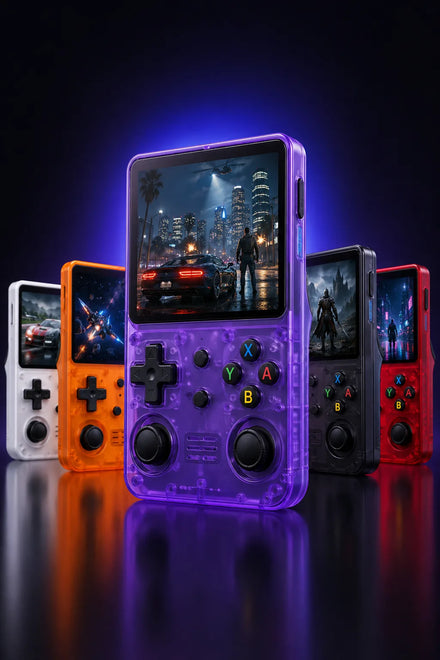
Find your R36S Console
Explore the 3.5-inch IPS handheld, compare 64GB and 128GB options, and check delivery information for your destination.
