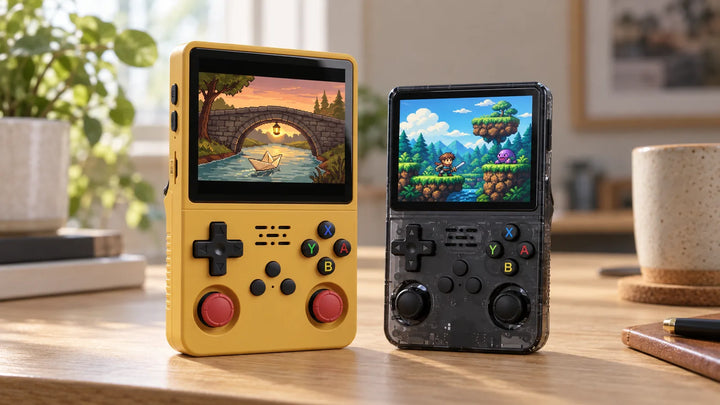
- Without a network, the R36S already does the essentials
- Option 1: a USB Wi-Fi dongle on the OTG port
- Which dongle to choose
- Setting it up
- Option 2: an R36 with built-in Wi-Fi
- What Wi-Fi actually lets you do
- What Wi-Fi doesn't do
- What about Bluetooth?
- Frequently asked questions
- Does the R36S have Wi-Fi?
- Which Wi-Fi dongle should I buy for the R36S?
- Can you play online with the R36S?
- Which R36 has built-in Wi-Fi?
- Can you connect a Bluetooth controller or earbuds?
- Do you need Wi-Fi for PortMaster or updates?
No, the R36S has neither Wi-Fi nor Bluetooth: there is no component inside for either. To get it online, you have two options: a compatible USB Wi-Fi dongle plugged into its OTG port, or a model from the family with built-in Wi-Fi (R36 Ultra and Ultra X, R36H Pro Max, R36S Plus, R36XX). To play, you don't need any connection at all.
Some listings present the R36S as having Wi-Fi and Bluetooth. The Ubuntu-fr documentation, which tested it under ArkOS, is clear: the console has no physical component for it. So it is not an option you can switch on in a menu.
Without a network, the R36S already does the essentials
Playing, saving, adding games: everything works offline. To add games, you copy the files onto the card from a computer. It is even faster than transferring over Wi-Fi. The steps are in our guide to adding games to the R36S.
Wi-Fi is for the extras: online updates, PortMaster, RetroAchievements, game box art. If none of that means anything to you, you can do without it.
Option 1: a USB Wi-Fi dongle on the OTG port
This is the way to go for an R36S you already own. You need two things:
- a Linux-compatible USB Wi-Fi dongle;
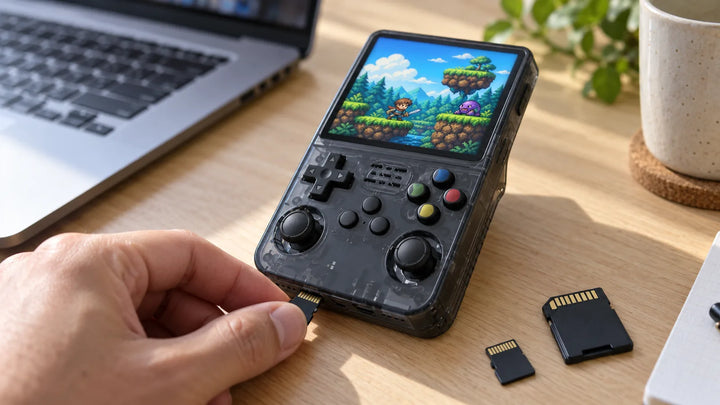
- in most cases, a USB-A to USB-C adapter to plug it into the console's OTG port.
As for budget, a community R36S guide mentions dongles from around 7 €.
Which dongle to choose
What matters is the dongle's chip. Recent systems support dongles with Realtek chips (RTL8188, RTL8192CU, RTL8821CU, RTL8812AU) or the MediaTek MT7601U. The exact list varies by system: dArkOSRE, for example, lists rtl8192cu, rtl8821cu, rtl8812au and mt7601u.
As for models, the TP-Link TL-WN725N has worked for R36S users. It is also on the list for the ODROID-GO Advance, a sister machine with an RK3326 processor. The developer of ArkOS and dArkOS, for his part, recommends the TP-Link Archer T2U Nano AC600 and the EDUP Nano 650 Mbps.
Not every dongle works, and the same product can switch chips from one hardware revision to the next. Before buying, check the community list "R3XS TF2 microSD Card and WiFi Dongle Compatibility List", which R36S guides link to.
Setting it up
Under ArkOS, the official wiki gives this path: Options menu, then WIFI. Press R1 to go to "+", then A to enter your network. Then check in Options, NETWORK INFO, that an IP address has been assigned. Under dArkOS, the path is Start, Options, then WIFI.
Long password that's a pain to type? At startup, ArkOS and dArkOS read a wifikeyfile.txt file placed in the roms/tools folder and import the credentials it contains.
Option 2: an R36 with built-in Wi-Fi
If you don't have a console yet, the simplest route is a model with Wi-Fi out of the box. Here is what each R36 in our catalog advertises.
| Model | Built-in Wi-Fi | Bluetooth | Good to know |
|---|---|---|---|
| R36S | No | No | USB Wi-Fi dongle possible on the OTG port |
| R36H | No built-in Wi-Fi advertised, according to our supplier information | Not advertised | The R36H Pro Max is the version that adds Wi-Fi |
| R36 Max | No | No | A USB dongle on OTG may work depending on the system, sold separately |
| R36 Ultra (4 inches, 720 x 720) and Ultra X (4.5 inches, 1024 x 768) | Yes, 2.4 GHz | Not advertised | File transfer, updates, box art |
| R36H Pro Max | Yes, 2.4 GHz | No | Updates, two-player games over a local network between compatible consoles |
| R36S Plus | Yes, 2.4 GHz | No | OTG port left free |
| R36XX | Yes, 2.4 GHz, soldered | No | With Wi-Fi on, the OTG port can't be used for anything else |
All of these built-in Wi-Fi modules are 2.4 GHz. The R36S Plus and the R36XX don't support 5 GHz. So check that your router broadcasts a 2.4 GHz network.
The R36XX has a catch. When its Wi-Fi is on, its USB-C OTG port can't be used for anything else: a USB stick cuts the Wi-Fi, and a USB controller is not recognized according to published tests. The R36S Plus, on the other hand, leaves its OTG port free.
The system matters too. Built-in Wi-Fi depends on the installed system. The R36S Plus, for example, has its own ArkOS-R3XS image. To find out which system goes with which model, see our guide dArkOS, ROCKNIX: which system for your R36.
A word on the R36 Max: it has no Wi-Fi. Our supplier's catalog lists a separate "R36 MAX2, with WIFI". That is not the R36 Max we sell.
If you want Wi-Fi without a dongle and without tying up the OTG port, the R36S Plus is available in our shop. If it's the screen that appeals to you, our comparison R36 Ultra or R36S explains what its 4 or 4.5 inches change.
What Wi-Fi actually lets you do
Depending on the installed system, a connection opens up these uses:
- Online updates. Under dArkOS, Options menu then Update, with the Wi-Fi dongle plugged in and a reliable connection.
- PortMaster. It installs ports of PC games, either free or requiring the files of a game you own. With Wi-Fi, you download from its interface. Without it, you copy the .zip file into the autoinstall folder.
- RetroAchievements. Achievements to unlock in retro games, with a free account on retroachievements.org. A connection is required, and Hardcore mode disables save states.
- Box art. "Scraping" fetches images and descriptions for the games already on the card.
- Themes. Under dArkOSRE, the ThemeMaster tool downloads interface themes.
- File transfer without removing the card. SSH and Samba access are off by default: you turn them on in Options, "Enable Remote Services". dArkOS also offers a web-based file browser. Handy, but much slower than copying directly onto the card.
What Wi-Fi doesn't do
Wi-Fi doesn't turn an R36 into a modern console. No online gaming in today's sense, no video streaming, no apps.
Two-player games over a local network do exist, through RetroArch netplay: one player hosts the game, and the other must have the same emulation core and the same game.
On the R36S, it works, but unevenly according to published tests. The Ubuntu-fr documentation notes frequent freezes and a "rubber band" effect on the spectator's side, on a GBA game. Think of it as a bonus, not a feature.
What about Bluetooth?
No R36 in our catalog advertises Bluetooth. So no wireless controller or earbuds out of the box.
For sound, the 3.5 mm headphone jack takes wired earphones. For two-player games, one published test got a wired USB controller plugged into OTG recognized in RetroArch.
That leaves the USB Bluetooth dongle. Some community systems accept it: dArkOSen includes a "BT Manager", dArkOSRE lists a "Bluetooth Manager for dArkOS" and Knulli handles Bluetooth with a dongle. We don't recommend any particular dongle, and no result is guaranteed.
Frequently asked questions
Does the R36S have Wi-Fi?
No, neither Wi-Fi nor Bluetooth. A USB Wi-Fi dongle plugged into the OTG port, usually with a USB-A to USB-C adapter, adds it depending on the installed system. To play, save and add games via the card, no connection is needed.
Which Wi-Fi dongle should I buy for the R36S?
A Linux-compatible dongle with a Realtek or MediaTek chip supported by your system. The TP-Link TL-WN725N has been tested by R36S users. Still, check the community list "R3XS TF2 microSD Card and WiFi Dongle Compatibility List" before buying.
Can you play online with the R36S?
No, not in the sense of a modern console. RetroArch netplay lets two people play over a local network, but it remains uneven on this machine according to published tests. No streaming or apps either.
Which R36 has built-in Wi-Fi?
The R36 Ultra and Ultra X, the R36H Pro Max, the R36S Plus and the R36XX, all at 2.4 GHz. The R36S and the R36 Max don't have it. For the R36H, no built-in Wi-Fi is advertised according to our supplier information.
Can you connect a Bluetooth controller or earbuds?
Not out of the box. Wired earphones plug into the headphone jack. A wired USB controller on OTG was recognized in one published test. Bluetooth only works through a USB dongle, with certain community systems, with no guarantee.
Do you need Wi-Fi for PortMaster or updates?
It's easier with it. But PortMaster can also be installed offline, by copying the .zip file into the autoinstall folder. dArkOS online updates, on the other hand, do require a connection.