- What exactly is PortMaster?
- Free, yes. Commercial games, no.
- What the R36S can really run
- Installing PortMaster on your system
- With or without Wi-Fi
- Where to put the game files
- Is PortMaster safe?
- The console to go with it
- Frequently asked questions
- Is PortMaster free?
- Can you use PortMaster without Wi-Fi?
- Does Stardew Valley work on the R36S?
- What's the difference between PortMaster and Safing Portmaster?
- Where do a port's files go on the R36S?
PortMaster is a free, open-source tool that installs "ports" on the R36S: PC games recompiled to run natively, with no emulation. As of early October 2026 there are more than 1,400 of them. Some are ready to play, but commercial games such as Stardew Valley or Celeste need the files from your own purchased copy.
One thing first, because search engines mix the two up. The PortMaster we're talking about has nothing to do with Safing's Portmaster, a firewall for computers. The one we want lives at portmaster.games and on the "PortsMaster" GitHub, with an s.
What exactly is PortMaster?
It's a catalogue with a graphical interface for Linux-based handhelds like the R36S. You pick a game from a list, and PortMaster downloads and installs it. According to its official repository, the interface has been translated into ten languages: English, Chinese, French, German, Italian, Japanese, Korean, Polish, Portuguese and Spanish, including English.
The difference from your retro games comes down to one word: native. A port doesn't emulate an old console. It's a PC game, or its engine, recompiled to run directly on the console. Each port carries its own libraries in its folder: PortMaster leaves the system's libraries alone.
A few ballpark figures, taken from the official database in early October 2026:
- more than 1,400 ports listed in total;
- 1,398 offered for the R36S, 688 of them ready to play;
- more than 9 million downloads in total;
- action, platformers and arcade lead the genres, ahead of adventure, puzzle and RPG.
These numbers change every day. In January 2026, the dArkOS-RE wiki was still advertising "more than 800 ports".
Free, yes. Commercial games, no.
The tool costs nothing: public code, MIT licence, optional donations through Open Collective. But PortMaster supplies the engine adapted to the console, not the commercial game. Ports fall into three families.
| Type of port | Examples listed for the R36S | What you provide |
|---|---|---|
| Ready to play | 2048, Apotris, Celeste Classic, Spelunky (classic), Cave Story (Evo), Super Mario War, VVVVVV, Sonic Robo Blast 2, Maldita Castilla | Nothing, everything is included |
| Trial version included | DevilutionX (Diablo), Quake 1, Doom Engines (Doom shareware and Freedoom) | The full game files if you want to go further, for example DIABDAT.MPQ for Diablo |
| Purchased game required | Stardew Valley, Celeste, Undertale, Half-Life, GTA III, GTA Vice City, Balatro, Fallout 1 and 2, Sonic Mania | The files from your own copy |
A telling detail: the eight most downloaded ports in the database all require the purchased game. Stardew Valley is at the top, with about 365,000 downloads.
Some ports insist on a specific version. Stardew Valley wants the "compatibility" version from Steam or GOG. Celeste wants a DRM-free version, itch.io for Linux or Epic for Windows: according to Retro Game Corps, the Steam version doesn't work. GTA III and Vice City need the classic 2001 and 2002 editions, not the 2021 "Definitive Edition".
What the R36S can really run
PortMaster keeps a profile for the R36S: RK3326 processor, 1 GB of RAM, 640 x 480 screen, two analogue sticks. It's a small machine, and the database takes that into account. The 58 ports reserved for powerful devices aren't offered to it, Doom 3 for example.
Don't jump to conclusions: "listed for the R36S" doesn't mean "runs perfectly". The database tells you a port is offered, not how smoothly it runs. Light 2D games like Cave Story, Spelunky or VVVVVV should be its natural territory. Big 3D games are excluded or borderline.
The few published figures point the same way. In a 2024 guide, Retro Game Corps reports that Celeste drops to around 50 frames per second during boss fights on this processor, with a few dips to 25, and that some effects were toned down. The Luanti (Minetest) instructions ask you to enable zram on 1 GB machines. Balatro offers a performance mode and a cap of 60, 40 or 30 frames per second.
On a clone, everything depends on the installed system: the database targets the R36S device, not the whole family.
Installing PortMaster on your system
Don't count on finding it already there: only ROCKNIX builds it into the system. So the steps depend on what's running on your card. If you're not sure which one it is, our R36S button cheat sheet starts by helping you identify it.
- ROCKNIX: nothing to install. PortMaster is built in and shows up in the ports folder.
- dArkOS: the system image puts the Install.PortMaster.sh installer in the tools folder. Run it from Options > Tools.
- dArkOS-RE (variant for the R36S and clones): START > Options > Tools > "Install Portmaster", then START > Options > Tools > "PortMaster". On first launch, accept the update and then the warning with A. To install a game after that: category, game, A, then A.
- ArkOS: PortMaster goes in /roms/tools/. The official documentation flags a detail you shouldn't miss: the PortMaster.sh file has to be moved from /roms/tools/PortMaster/ to /roms/tools/. It then launches from Options > Tools > PortMaster.
The official installers are on the releases page of the PortsMaster/PortMaster-GUI GitHub. Install.PortMaster.sh sets up the basics. Install.Full.PortMaster.sh adds all the "runtimes" up front: it's the one for consoles without a connection. Once launched, PortMaster shows its version on screen, as "PM" followed by a number.
Still unsure about the system itself? Our dArkOS, ROCKNIX or ArkOS comparison sums things up as of October 3, 2026.
With or without Wi-Fi
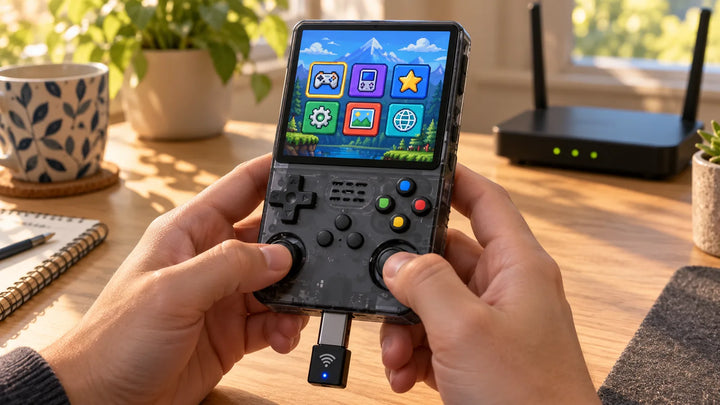
The R36S has no built-in Wi-Fi. With a compatible USB Wi-Fi dongle plugged into the OTG port, you download ports straight from the interface. Our guide to Wi-Fi and Bluetooth on the R36S covers the supported dongles.
Without Wi-Fi, it works too. It's even an official method:
- On a computer, download the port's .zip file from portmaster.games.
- Copy that .zip as it is into PortMaster's autoinstall folder on the card.
- Put the card back in the console and launch PortMaster: it installs the port.
The official path on ROCKNIX and AmberELEC is /roms/ports/PortMaster/autoinstall/. On ArkOS, dreamcast.nu gives /tools/PortMaster/autoinstall/. Worth knowing: some ports, such as RVGL, still download files the first time they launch. Those need a connection that day.
Where to put the game files
Ports install into the card's ports folder, EASYROMS/ports on ArkOS. For a purchased game, your original files go in the subfolder named in the port's instructions, often gamedata or assets:
- Stardew Valley: stardewvalley/gamedata;
- Celeste: celeste/gamedata, with a first launch that takes a few minutes;
- Undertale: ports/undertale/assets, copying over the Steam or GOG installation.
You copy them with the card plugged into the computer, like everything else: the steps are in our guide to adding games to the R36S. Always read the port's instructions first: they state the expected version and the exact files.
Is PortMaster safe?
No software is risk-free, but the facts are fairly reassuring. The code is public on GitHub. According to the project's repository, every port goes through an automated check, then a review by the team before it's published. PortMaster doesn't modify the system libraries. ROCKNIX ships it by default and dArkOS prepares its installer.
Our advice: download PortMaster and ports only from portmaster.games or the PortsMaster GitHub, never from a third-party site. And back up your card before you start tinkering.
The console to go with it
PortMaster knows the R36S by name, "R36S Retro Handheld", and offers it nearly 1,400 ports. If you don't have one yet, the R36S is available from us from 69,99 €.
Frequently asked questions
Is PortMaster free?
The tool is, yes: it's open source, under the MIT licence, and no payment is asked. Ready-to-play ports are complete. However, many ports need the files from a purchased game, such as Stardew Valley, Undertale or Balatro.
Can you use PortMaster without Wi-Fi?
Yes. Download the port's .zip on a computer and copy it into PortMaster's autoinstall folder: it installs it the next time it launches. To install PortMaster itself offline, use Install.Full.PortMaster.sh, which contains all the runtimes.
Does Stardew Valley work on the R36S?
The port is listed for the R36S. It requires the "compatibility" version of the game, bought on Steam or GOG, copied into stardewvalley/gamedata. No official source says how smoothly it runs on this console, so we don't promise anything on that front.
What's the difference between PortMaster and Safing Portmaster?
They're unrelated. PortMaster (portmaster.games) installs games on Linux-based handhelds. Safing's Portmaster is an open-source application firewall for computers, on Windows and Linux, that monitors network connections and blocks trackers.
Where do a port's files go on the R36S?
In the card's ports folder, EASYROMS/ports on ArkOS. The original game files go in the subfolder named in the port's instructions, usually gamedata or assets.