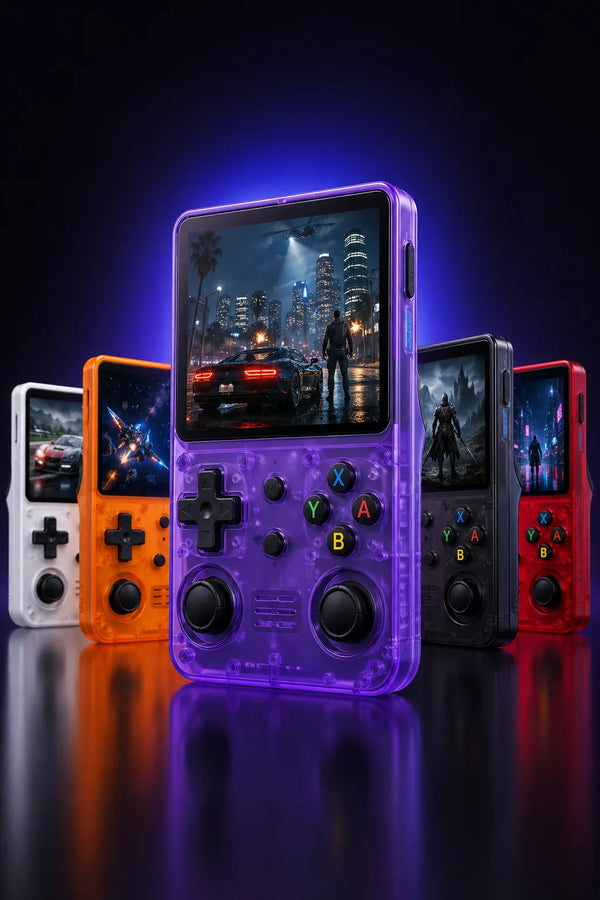
R36H vs R36S: the comparison

R36H vs R36S: both handhelds share the same RK3326 chip, the same 1 GB of RAM and the same 3.5″ 640 × 480 screen. The R36H is held horizontally, like a controller, with the controls on either side of the screen; the R36S is vertical. You are choosing a grip, not a better model.
Comparison based on the stated specifications, not laboratory performance testing.
Same chip, same screen: what doesn’t change
The R36H is not an upgraded R36S. It uses the same Rockchip RK3326 platform (four Cortex-A35 cores, Mali-G31 MP2 graphics), 1 GB of RAM and a 3.5″ IPS panel at 640 × 480, in a 4:3 aspect ratio.
So both handhelds run the same systems, with the same limits. A reviewer at retrohandhelds.gg puts it simply: if you already own an R36S, the R36H will run exactly the same. No game plays better on one than on the other.
R36H vs R36S: comparison table
| Specifications | R36S | R36H |
|---|---|---|
| Body | Vertical | Horizontal |
| Screen | 3.5″ IPS · 640 × 480 | 3.5″ IPS · 640 × 480 |
| Aspect ratio | 4:3 | 4:3 |
| Processor | Rockchip RK3326 | Rockchip RK3326 |
| RAM | 1 GB | 1 GB |
| Analog sticks | 2 | 2 (left at the top, right at the bottom) |
| Battery | 3,000 to 3,200 mAh depending on the batch | 3,000 mAh |
| Built-in Wi-Fi | No | No, according to our supplier information |
| Size | 13 × 8.3 cm | about 14.5 × 6.9 cm |
| Weight | 187 g | about 186 g |
| Storage | 2 microSD slots, 64 or 128 GB card | 2 microSD slots, 64 or 128 GB card |
| System out of the box | ArkOS | ArkOS 2 |
| Our price | from €69.99 | €69.99 (64 GB), €79.99 (128 GB) |
What changes: how you hold it
The R36H puts the screen in the middle and your hands on either side. The left stick sits at the top, above the D-pad; the right stick sits at the bottom, below the four action buttons. It’s the offset layout of an Xbox controller: if you already play with that kind of controller, you know it.
The R36S is vertical. It also has two analog sticks, a D-pad, action buttons and four shoulder buttons. The R36H keeps the D-pad, the four action buttons, the two sticks and shoulder buttons: what mostly changes is where they sit.
The D-pad comes down to personal feel. Our product page presents it as within easy thumb reach for platformers and arcade games; a reviewer at retrohandhelds.gg finds it less comfortable than the R36S D-pad when switching from one to the other. If the D-pad matters more than anything to you, that review leans toward the R36S; if you’re used to controllers with offset sticks, the R36H will feel familiar.
Battery, size and weight: nearly a tie
The R36H has a 3,000 mAh battery, removable according to published reviews. The R36S battery varies by batch: usually 3,000 or 3,200 mAh, and our product page lists 3,200 mAh. The gap is zero or small, so it’s not a reason to pick one over the other. We haven’t found a reliably measured battery life for either one, and we won’t promise you one.
As for footprint, published spec sheets give about 14.5 × 6.9 cm and 186 g for the R36H, versus 13 × 8.3 cm and 187 g for the R36S. The R36H is longer and less tall; the weight is practically the same.
Does the R36H run ArkOS?
Yes. We ship it with ArkOS 2, a Linux-based system, on a microSD card that’s ready to use.
Looking ahead, note that ArkOS is no longer being developed: its author replaced it with dArkOS in late 2025. Several community systems exist for the R36H:
- ArkOS R3XS: the community image covering the R33S, R35S, R36S and R36H. Its latest version dates from November 2025, and it is now archived.
- dArkOSen: it states it is compatible with all genuine R36 models, R36H and R36H Pro Max included, but not with clones.
- dArkOSRE: two R36H motherboards are in beta, and full support is announced as in the works.
Before switching systems, make a copy of the original card and work on a second card. Always use an image made for the R36H and its board version: the wrong image can leave you with a black screen.
What neither one can do
- No PS2 or GameCube, and no Wii, 3DS or Switch either. ArkOS and dArkOS offer no emulator for these consoles on the RK3326 chip; GameCube is reserved for the higher-end chip, the RK3566.
- No built-in Wi-Fi: the R36S doesn’t have it, and neither does the R36H, according to our supplier information. No Bluetooth either.
- No touchscreen: in DS games, you move the stylus with the right stick in the DraStic emulator.
- Nintendo 64, PSP and Dreamcast work game by game: many titles run well, others remain difficult. Up to the original PlayStation, emulation is good overall, though not perfect.
Which one should you choose?
Get the R36H if you like holding a controller, if you’re used to offset sticks, or if you simply like the horizontal format. It costs €69.99 with 64 GB and €79.99 with 128 GB, in white, black, purple or yellow: see the R36H and its colors.
Get the R36S if you prefer a vertical body, or if the D-pad comes first. It starts at €69.99.
Want horizontal with Wi-Fi? Check out the R36H Pro Max: also horizontal, with a 4.2″ 1024 × 768 screen in 4:3 and built-in 2.4 GHz Wi-Fi, for €74.99.
Mostly want a bigger screen? The R36 Ultra moves up to a 4″ square screen, or 4.5″ in 4:3 with the Ultra X, Wi-Fi included, but it stays vertical. The details are in our R36 Ultra vs R36S comparison.
Frequently asked questions
What is better, R36S or R36H?
Neither is better on the technical side: same RK3326 chip, same 1 GB of RAM, same 3.5″ 640 × 480 screen. The R36H suits you if you prefer holding a controller, the R36S if you want a vertical body.
Is the R36H an upgrade over the R36S?
No. With the same chip and the same memory, it plays the same consoles with the same limits: good up to the PlayStation, game by game on Nintendo 64 and PSP, no PS2. Neither one does better than the other.
Is the R36H any good?
Yes, if you like the horizontal format: you get the performance of an R36S, two sticks, two microSD slots and a 3,000 mAh battery. The debated point is the D-pad, placed at the bottom left: one reviewer finds it less comfortable than the R36S D-pad.
How big is the R36H?
Its screen measures 3.5″ diagonally, like the R36S screen. Published spec sheets give it about 14.5 × 6.9 cm and 186 g, versus 13 × 8.3 cm and 187 g for the R36S.
Does R36H have Wi-Fi?
No: no built-in Wi-Fi, according to our supplier information, and no Bluetooth. You don’t need it to play: the games are on the microSD card. If you want Wi-Fi on a horizontal handheld, the R36H Pro Max has it built in, on 2.4 GHz.
How can I tell if an R36H is genuine?
Check for the 3.5″ 640 × 480 screen, the two microSD slots and the left stick placed above the D-pad; our R36H units boot into ArkOS. Don’t confuse it with the “R36HD”, a different model with a weaker chip that handhelds.wiki lists among the fakes. According to one reviewer, no R36H clone had been reported as of their review, in late June 2026. For the R36S, follow our guide to telling an original R36S from a clone.