

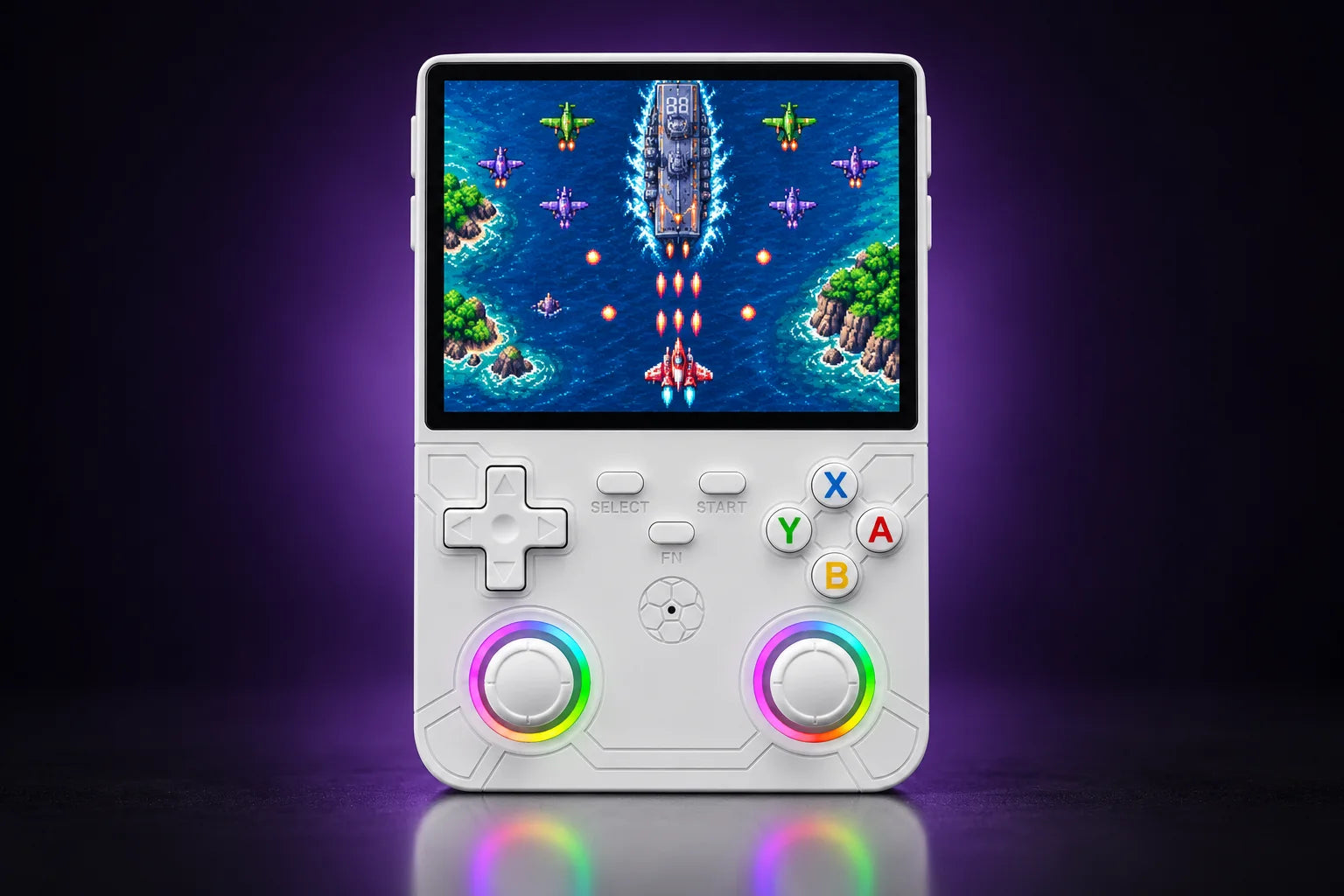
 R36H shown: white
Illustrative game scenes.
R36H · horizontal design
Your R36H
Prefer playing with a controller? The R36H uses a familiar layout, with a 3.5″ IPS screen in the middle and controls on either side.
The real console, not a copy.
Up close.
Grip, screen, battery: swipe through, it’s all here.

The horizontal design
Like a controller.
With a screen in the middle.
The R36H puts your hands on either side of the screen. The left stick sits high, the right stick low: an asymmetric layout you may already know.

3.5-inch IPS screen
A 4:3 screen.
A familiar view.
With 640 × 480 pixels, the R36H uses the aspect ratio of many classic home console games.
Read more
For games designed with other proportions, the emulator lets you adjust the display.
Illustration of the screen’s proportions.

Physical controls
The D-pad for 2D.
Sticks for what comes next.
Switch between the D-pad and the sticks to suit the game. Four action buttons and shoulder buttons complete the controls.
Read more
64 / 128 GB
Room for
your next games.
64 GB for a library of smaller retro games. Choose 128 GB if you collect more titles or use larger files.
Read more
Capacity changes storage space, not processing power.
Twice the space with 128 GB
| Design | Horizontal |
|---|---|
| Screen | 3.5-inch IPS · 640 × 480 |
| Battery | 3000 mAh |
| Processor | Rockchip RK3326 |
| System | Linux · ArkOS 2 |
| Storage options | 64 / 128 GB |
| Touchscreen | No |
Compare the designs
Horizontal or vertical?



Looking for the vertical 3.5″ model? Discover the R36S.
Your questions answered
Before your
first game.
What people ask us before they order.
What is the difference between R36H and R36S?
The R36H is horizontal, with controls on either side of the screen. The R36S is vertical. Both use the RK3326 platform and a 3.5″ 640 × 480-pixel screen, so the main difference is how you hold them.
Does the R36H run ArkOS?
This model is offered with ArkOS 2 on Linux. For updates, use a system image suited to the R36H and its hardware revision.
What kinds of games can it emulate?
The RK3326 platform suits 8-bit and 16-bit consoles and many PlayStation games. N64, PSP and Dreamcast performance varies with the game and settings. Perfect performance in every game is not guaranteed.
64 or 128 GB: what changes?
128 GB provides twice the nominal capacity of 64 GB. It holds more files without changing performance. The number of games depends on file size.
Do the pictures show my chosen colour?
The visuals show the white model in different settings. Other colours are identified in the selector and in your cart. The scenes shown on the screens are illustrations.
Your next game starts here.
Choose my R36HLast updated: November 2026
What is the R36H, and who is it for?
The R36H is the horizontal version of the R36 family: a 3.5-inch 640 × 480 screen in the middle, controls on either side, held like a game controller. Inside, it uses the same RK3326 chip, 1 GB of RAM and the same screen as the R36S, so it plays the same games. Choose it for the grip, not for more power.
R36H vs R36S: what changes
| R36H | R36S | |
|---|---|---|
| Design | Horizontal, screen in the middle | Vertical |
| Stick layout | Left stick above the D-pad, right stick below the buttons | Two analog sticks on a vertical body |
| Screen | 3.5-inch IPS, 640 × 480, 4:3 | 3.5-inch IPS, 640 × 480, 4:3 |
| Chip and RAM | RK3326, 1 GB | RK3326, 1 GB |
| Battery | 3000 mAh, removable | 3000 to 3200 mAh depending on the batch, removable |
| System | Linux, ArkOS 2 | Linux, ArkOS |
| Wi-Fi / Bluetooth | No / No | No / No |
Same games, same screen, nearly the same price: the only real question is how you like to hold a handheld. Our R36H vs R36S comparison goes into size, grip and firmware.
Your questions about the R36H
Is the R36H better than the R36S?
Neither is faster: same chip, same RAM, same 3.5-inch panel. The R36H suits players who prefer a controller-style grip with both hands on the sides. One reviewer found its D-pad less comfortable than the R36S's and its Start and Select buttons stiff, which is a personal opinion worth knowing.
Does the R36H have Wi-Fi or HDMI?
No built-in Wi-Fi and no Bluetooth. Sources disagree on a video output, so we do not advertise one: plan to play on the built-in screen. Games are added through the microSD card on a computer, as explained in our guide to adding games.
Is the R36H legal?
The console and its emulators are legal software. Game files are copyrighted: only play games you own the rights to, and check the rules where you live.